

Where does meaning come from, where is it located, is it in the viewer’s mind, is it in the community at large? Instead of people identifying with one overarching symbol that seemed to represent the whole of the community, why not create a system that generates individual symbols to represent individuals?
— Allan McCollum, excerpted from No Things But in Ideas: An Interview with Allan McCollum, by Robert Enright
The Dingbat
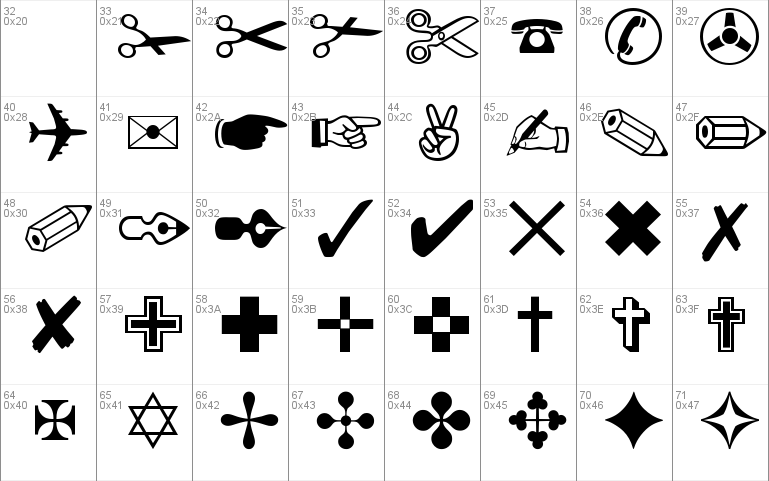
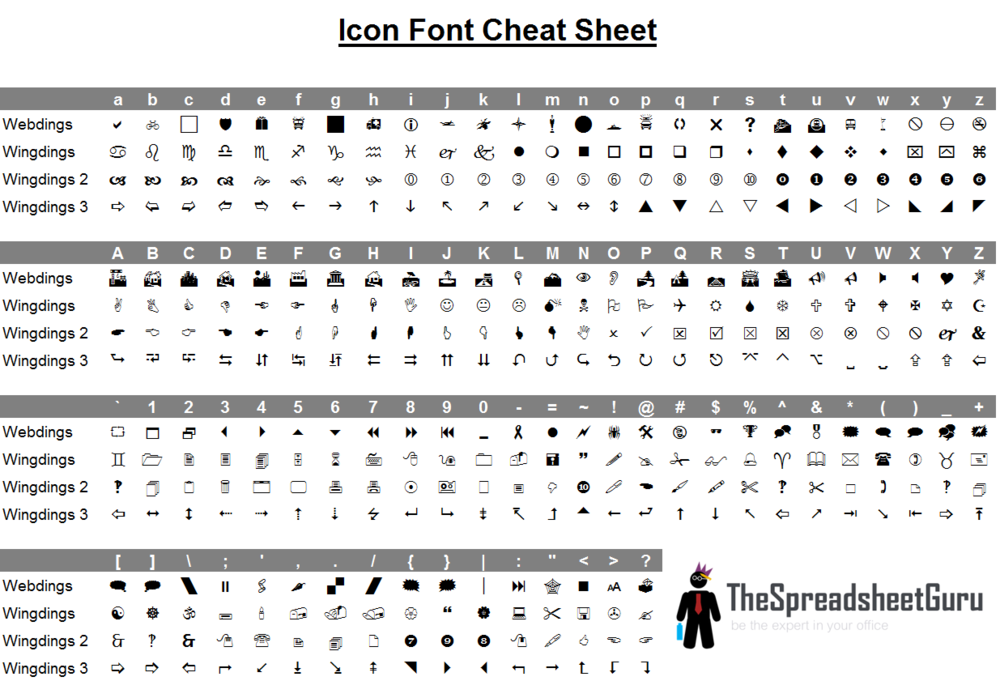
Dingbats and Webdings



Design Brief
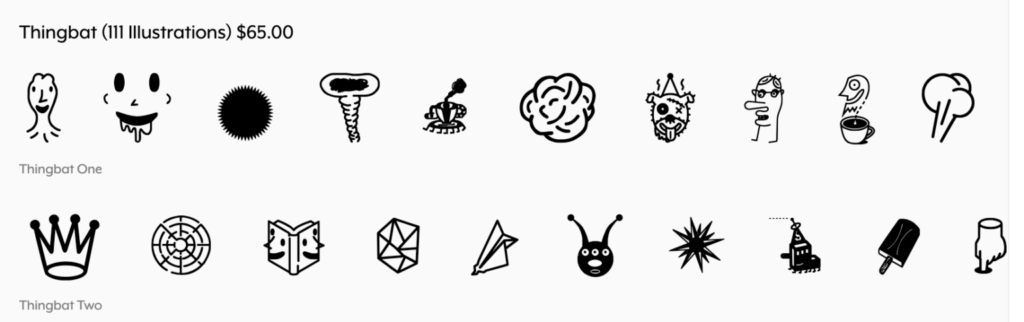
The students will each distill and develop a “thingbat” which represents them using only the shapes provided in the stencil version of the word DESIGN (see images at top of page).
This thingbat is an iconic representation of meaning inspired by one or more objects. The thingbats can be more or less abstract but all must be potent high-contrast forms which can be read at both large (on a T-Shirt) and small (at 12pt. type) sizes. The final design will be rendered in vectors using illustrator.
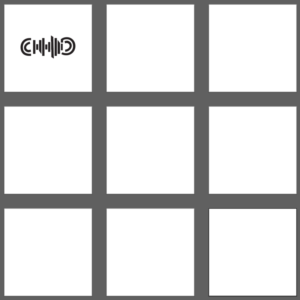
Thingbat template:
Research
You will research an object or set of objects to isolate and distill into a “thingbat” (a symbol based on an object) and do a series thumbnails and distill them into an iconic form using the thingbat shapes in Illustrator.
Process
Each student will be asked to choose a series of words that identify themselves – that each student identifies with; words that define who they are or what they resonate with. These words must be sincerely chosen although they can be whimsical in nature. The words can originate from each student or those around them. In many circumstances our family, friends, and colleagues do that for us by playfully assigning us nick-names (flattering and not). Sometimes we adopt that assigned name and sometimes we choose our own for the various interactions in which we participate. Communication in online conduits such as email, instant messaging, blogs and other forums necessitates the adoption of alternate identities or even avatars beyond our given names. Explore these words, names and identity designations that form a constellation of meaning surrounding you. Sort, categorize and present these identifiers.
When you open the Illustrator file above, you’ll notice several solid shapes. You will move the pieces around to depict your thumbnail sketches and distill into an icon.
Heres what you CAN do:
-Duplicate shapes
-Rotate shapes
-Scale shapes proportionately (hold down shift)
-Reflect/mirror shapes
Heres what you CANT do:
-Change from fill to outline/stroke
-Warp (scale un-proportionately)
-Add color
If you aren’t sure if you can do something, you probably can’t for this exercise, but hey, send me an email to check anyway.
Wednesday, August 27
Naming Exercise
Each student will write down a list of words which describe them. This can be written on a sketch paper or as a form here:
Names
Full name: first, middle, last
Nicknames: all of them and who gave them to you
Other Social Media Names / Handles / Visual Identifier names (ie. “Tall Jake”): all, if more than one
Words
Nouns: place – a list of three places which you love (the stream behind my house or the grand canyon) thing – a list of three objects you relate to and could represent you
Adjectives: A list of 5 adjectives which both describe that object and you
Verbs: a list of 5 verbs which describe you and the object
Food: Your favorite snack or drink
Associated Object: Do you already have an object that you identify with? Do any of your nicknames, email addresses, or social media names conjure associated imagery?
- For the class, please create a Dropbox folder inside our class Dropbox and share it with my email Josh.Blair@EstimeStudio.com (until I get a KSC Email). This is where you will be uploading your work throughout the semester!Please name that folder: 2025f-initial_lastname_art360
- Within that shared folder, create another folder labeled: 01_Thingbat
- Completed Worksheet (Use handout from class) with at least one sheet of tight thumbnail sketches (using this template) of objects you identify with. Photograph your thumbnails by using the Adobe Scan app. Please upload scans of your worksheet and sketches to your 01_Thingbat folder and label as follows:
Sketches: lastname_thingbat_sketches.pdf - Using the provided template, place your 9 icons on the 8.5×11 template based on the sketches you’ve made. Export as a high res PDF named: lastname_thingbat_V1.pdf Add this PDF to your 01_Thingbat Folder. We will review on the projector, but please bring a printout as well in black and white on 8.5×11 for me to mark up. You can print for free in 152 and 154.
- These v1 thingbats will be critiqued first thing Wednesday
If you haven’t already please fill out this form before the start of Week 2! 🙂
Monday – September 1st
No in-person class – Labor Day!
Keep refining your thing V1 Thingbats in preparation for in-class critique
Due Monday September 1st at 10am (Extra Credit)
- Personal Moodboard– design a moodboard that represents you and your interests. Need a moodboard refresher? Read more here.
- Things to consider adding to your moodboard:
- Color, typography, design aesthetics / themes, stylistic references
- Please design on 11×17 artboard in Illustrator or InDesign.
- Export as a PDF and save as lastname_thingbat_Moodboard.pdf.
Upload to your 01_Thingbat Dropbox folder.
Wednesday September 3rd
Assignments Due:
- Start of class: Thingbat Sketches
In class critique of sketches – Vectorize logo
- In class Critique of Sketches
- Narrow your V1 Thingbat options down to your top 3 based on in-class critique and Vectorize those logos. It would be useful to vectorize all 9 (for practice and for usability) but you will only be turning in your top 3. Keep the audience reaction numbers (from our in class exercise) in mind while you choose your final 3.
- While refining your top three thingbats based on the critique in class. Remember the importance of scalability.“Scalability is important in logo and icon design because they should maintain their integrity and effectiveness at different sizes and resolutions.”Now we can step away from the “Design” letter shapes we used to create our thing bats, and make small adjustments to really polish these. (We’re not creating new shapes to work with, just removing the “wonky” corners/edges that impede your designs).Please watch this video on cleaning up vectors here
 before and after tidying up vectors
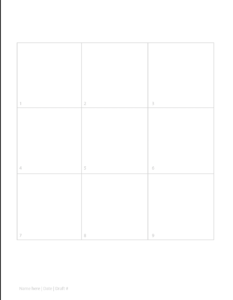
 - DUE NEXT MONDAY: Second round of cleaned up top 3 thing bats. Please place top 3 on this template.
- Export as a PDF and save as lastname_thingbat_V2.pdf.
- Upload to your 01_Thingbat Dropbox folder.
- Please keep an eye out on your email for an email from me with feedback on your Thingbats.
Monday, September 8
Assignments Due:
Start of Class
- V2 Thingbats (by 9am)
End of Class (potential for start of Wednesday)
- Final Thingbats
In Class:
- Critique V2 thingbats
- Please review the feedback from class to make adjustments to a final V3
- Gestalt Theory Youtube Vid + Gestalt Logo Inspiration + Scott McCloud Triangle of Abstraction
- The final round of Thingbat Icons. Please place the final 3 on this final template.
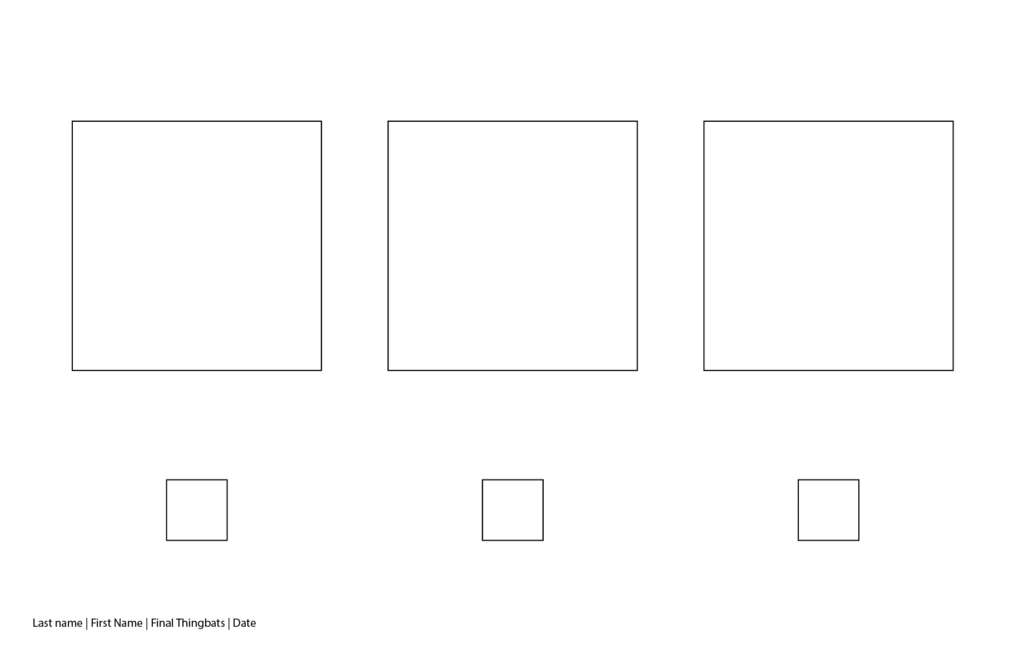
On the template, you’ll see 6 guide squares, 3 big and 3 small. This is to compare your icons at 2 different scales. Please delete the boxes after placing your icons in them. (If you forget to delete them, I will ask you to reprint them as it changes how they are viewed) - Export as a PDF and save as lastname_thingbat_FINAL.pdf.
Upload to your 01_Thingbat Dropbox folder.
Print in black and white on 11×17 to submit for class.- Thingbat Icon Grading Criteria | 40pts
- Detail/Craft 1-10pts
- How clean and neat are the icons? Are all edges smooth and tidy? Are there extra wonky points? Are there any glaring imperfections?
- Scalability 1-10pts
- Are the icons readable at 1” as well as 5”? Does the icon convey the meaning at both sizes?
- Design 1-20pts
- Are these icons easily recognized? How unique in concept are they? Do they inform & delight? As a unit, do they feel cohesive in style?
- DUE WEDNESDAY START OF CLASS:
- Once your thing bats have been refined, Create a kit of parts to create graphics to develop your first draft of socials ready for (Due) Wednesday’s Critique. (Recap from class here)
- Final Thingbats (if not completed in class)
Wednesday, September 10
Assignments Due:
Start of class
- Kit of Parts (EXTRA CREDIT!)
- Export as a PDF and save as lastname_KitofParts_V1.pdf.
- Upload to your 01_Thingbat Dropbox folder.
- The first draft (v1) of Instagram Posts – Read below
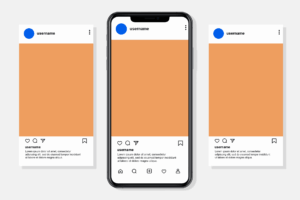
- Please download this template and work from there.
- Export as a PNG and save as lastname_thingbat_IG_V1.png
- Upload to your 01_Thingbat Dropbox folder.
End of class
- The second draft (v2) of Instagram Posts
Thingbats on Social
Now it’s time to put this kit of parts into action! You will be using your 3 thingbat icons, images/typefaces/colors from your Moodboard, and copy (text) from your worksheet to create a set of 3 Instagram posts. The 3 Instagram posts should serve as an introduction post. Pretend this is your first Instagram post as a designer, what do you want viewers to know about you? Brands do this all the time to communicate their values, their product attributes/benefits, and create a connection with the consumer. (If you don’t already have a designated portfolio Instagram to share your work, I highly encourage it!)
I’d like everyone to experiment with the pattern tool in Illustrator. Watch Randal’s quick tutorial video here if you need a refresher. Try making a pattern with all of your thing bats. If you like it, include it on your Instagram posts!
Requirements:
- Incorporate all three of your thing bats (yes, they can be colored now if you like!)
- Bring in typography in some fashion (words/phrases from your naming exercise)
- Utilize color/images/typefaces from your moodboard
- 3 colors MAX (not including black and white)
- Limit ONE typeface
Past Examples
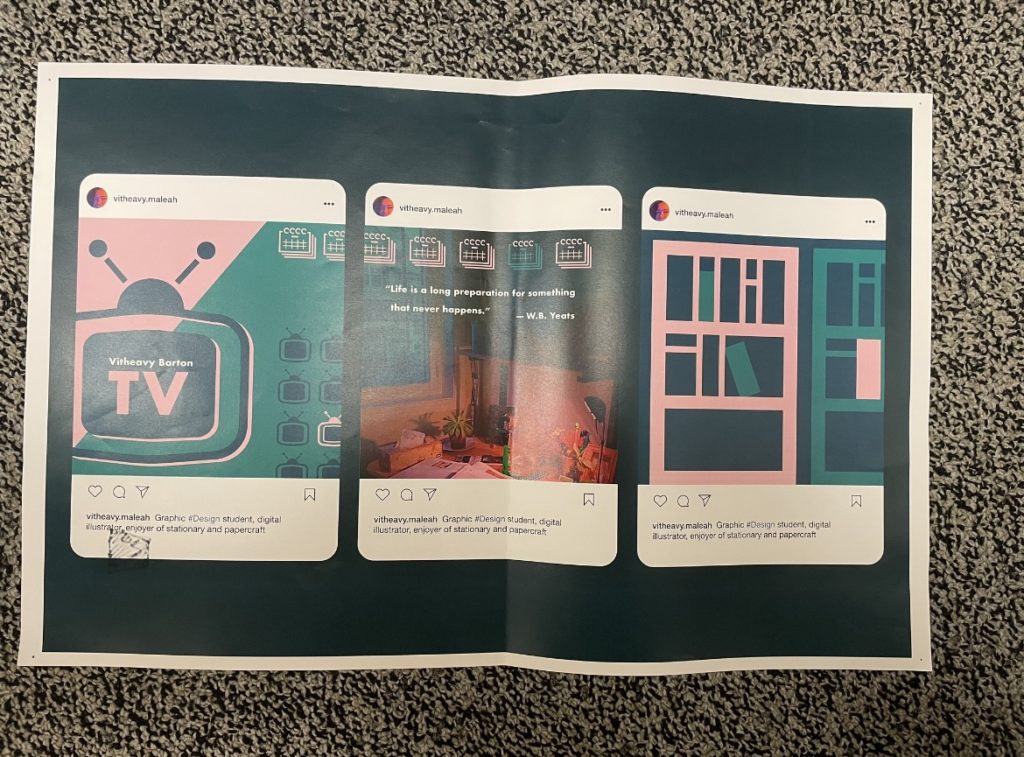
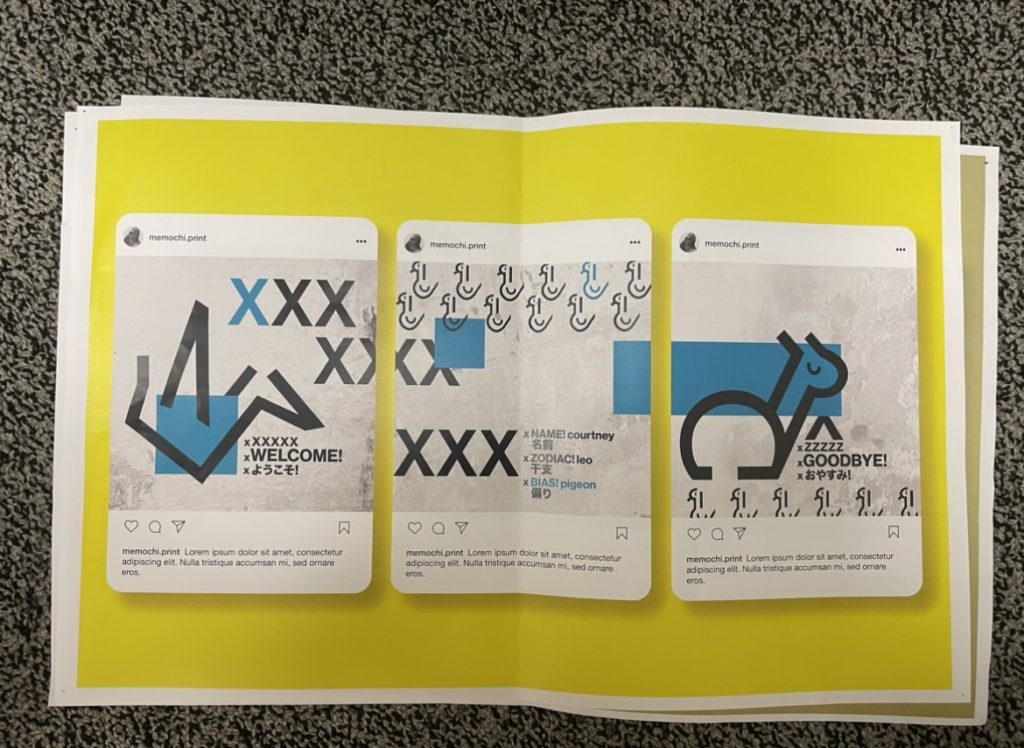
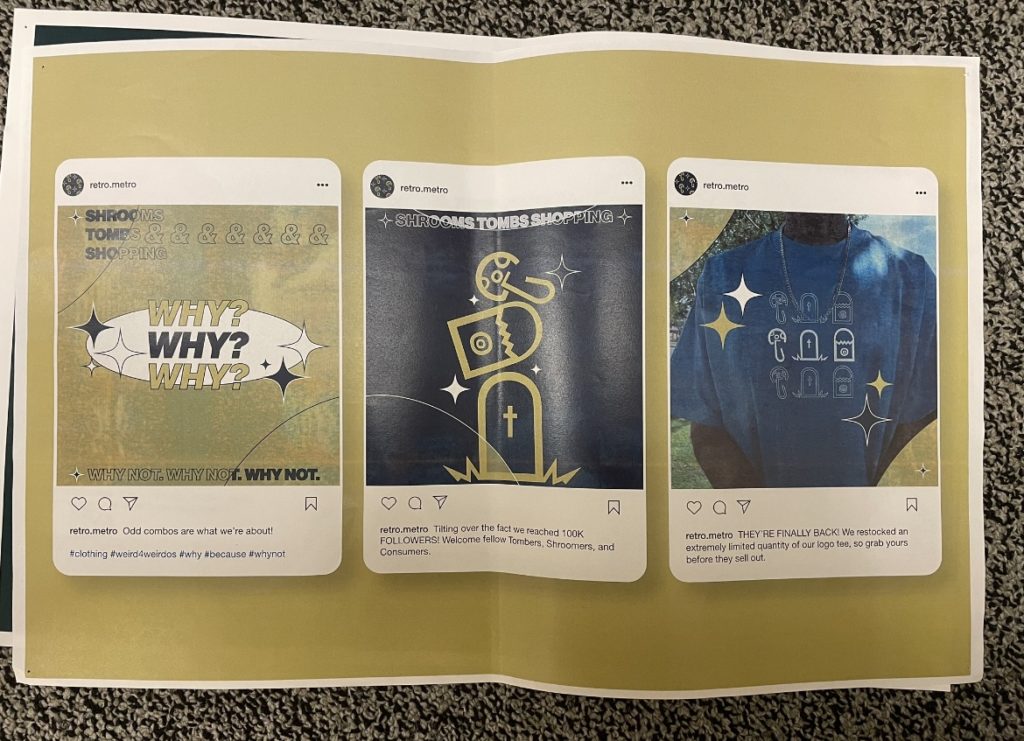
Create 3 4×5 (1080 x 1350 px) instagram posts on artboards. 4×5 is the standard document
In class:
- Design V1 Social Posts
- The second (final) draft of Instagram Posts
- Utilize the same template, and work from there. Make revisions based on feedback from class. Please remember to change the lore, ipsum text, and change the background color to compliment your work.
- Export as a PDF and save as lastname_thingbat_IG_V2.pdf
- Upload to your 01_Thingbat Dropbox folder
- Print page 4 (the 11×17 mockup) in COLOR on 11×17 for class.
Due Monday, September 15
Assignments Due:
Start of class
- Final chance to revise Final Thingbats.
- Based on additional Thingbat Icon feedback from class, please make revisions to your icons. Utilize the same template.
- Export as a PDF and save as lastname_thingbat_FINAL.pdf. (Replace existing)
- Upload to your 01_Thingbat Dropbox folder.
- Print in black and white on 11×17 to submit for class.
- The final draft of Instagram Posts
- Utilize the same template, and work from there. Make revisions based on feedback from class. Please remember to change the lorem ipsum text, and change the background color to compliment your work.
- Export as a PDF and save as lastname_thingbat_IG_FINAL.pdf.
- Upload to your 01_Thingbat Dropbox folder.
- Print page 4 (the 11×17 mockup) in COLOR on 11×17 for class.
In class:
- In class critique of Final Instagram posts
- Partner up with someone, and review Dictionary of Color PDF. I will assign each group 2 colors to read and take notes on. Be prepared to share 3 notes about each color with another group. Presentation Link
- Move on to 1.01 Thingbat Logos – Due Start of class Wednesday, September 17th!
- ROLL FOR LOREMS!