Ideation is the foundation of great design. Explore your company further and push yourself to think about it in new ways. Your first few ideas are rarely the best ones. We need to expand the way we think to find an original vision for our work.
Monday, October 13th
Assignments Due
Start of Class:
- Thumbnails
End of Class: None
In Class:
- Thumbnail critique speed date
- V2 Thumbnails, further explorations, and consumer profile – moodboarding
Go Deeper
We are not designing final logos yet…
Take a step back and do a deeper dive into your business
For example, forget what you think you know about what your business does and really research the background and history. Say you have a pizza restaurant, explore where and when pizza originated, what they originally used, the ingredients needed to make a pizza from scratch, etc.
Look Up Words
Or maybe you want to research more about a word in your businesses name, “Emporium”. What is an emporium, where are there emporiums, is there any famous ones, etc. If you have a business that only uses local goods, research what local means, what supporting local goods can do for a community, the positive impact, etc. You should be a bit of an expert by the end of this, and also expand your list of business keywords to use in sketching.
After you’ve done this research, please take notes on things you learned and keywords that stood out to you. Expand on your keywords using mindmaps to build even more keywords before sketching again.
There is no submission for this part of the assignment, but it will show if you skip it… 🙂
01
Watch
Please watch this video and read this article on logo shapes. Consider the implications certain shapes can have and the psychology of them. Are there keywords you have for your business that could be depicted better by certain shapes? Make a mental note of the research/ideation steps followed in the video.
02
Know your Audience
Based on what you learned going deeper. Who is your audience. Really…
- Fill out the User profile sheet.
- Use template here: 03_Business User Profile Sheet.ai
- Print on 8.5×11. At least two profile, but you may want three or more you wish to explore.
- Bring in a hard copy to pin up on board.
- Please upload your user profile sheets as a PDF to your 02_Identity Redesign folder and label it as follows:
lastname_identity_userprofile.pdf
03
Logo Sketching/Thumbnails V2
Now it is time to have another go at the logo sketching. Please be even more exhaustive in your second round. You may sketch smaller and faster for these, but the goal is to exhaust all ideas so we can really select the strongest direction. If you feel confident in a certain direction, you are welcome to iterate a few times on the idea. (However, I’m not looking for 50 iterations on the same idea… yet.)
If I were to put a number on what “exhaustive thumbnails” is — it would be 50+
- Photograph all of your V2 sketches and
- Upload to your personal Dropbox folder
Thumbnails v2 filename: lastname_identity_thumbnails2.pdf - Bring in a hard copy to pin up on board.
04
Type Explorations
Just your business name set in a typeface.
Do not design logos here.
Template: Please utilize 03_Type Exploration.indd to explore different typefaces.
The first page please focus on Sans Serif typefaces. The second page is Serif. And the third page is free choice, whatever speaks to you. All in black/white.
- In the template you will explore one line and stacked versions. Please keep the size/spacing as is, and print with the grids on.
- Please print all three in black and white on 11×17 paper. You can print them for free in 152 or 154.
- Bring in a hard copy to pin up on board.
- Upload to your personal Dropbox folder saved as lastname_identity_typefaces_v1.pdf
Try some of these typefaces. They are the classics.
05
Mood board
Please create a dynamic mood board for this project.

Milanote is an online pinboard. Less cluttered than Pinterest. Create your free account here.
Here is an example of a moodboard created for Kate’s Real Food.
A mood board is a collage collection of colors, typefaces, textures, design elements, or other visuals that express the mood or feeling of the business. This can be as eclectic as possible. For example, not all images should be food if you’re doing a restaurant; they could be photos of streets, vehicles, autumn leaves, mittens, a matchbook, etc. The images are about mood, not content.
Add crucial info from your research post, such as the business name, some photos of the business, keywords, etc. This is helpful to have the most relevant and inspired elements of your business.
Share your Mood Board
- 10am class / Share your boards with randall@randallhoyt.com
- 12pm class / Share your boards with Laura.shim@keene.edu
Summary of Deliverables
Print the following
- Consumer profile
- Thumbnails
- Type Exploration
Upload The following to DropBox
- Consumer profile
- Thumbnails
- Type Exploration
View on Screen
- Mood Boards
Wednesday, October 15th
Assignments Due
Start of Class:
- Consumer profile
- Thumbnails
- Type Exploration
End of Class: None
In Class:
- V1 Vector Logos
01
Vectorized Logos Round 01
This is the time to bring your top 1-3 logo ideas into Illustrator. Stay true to your sketches, to begin with, and then you can explore iterations. NO COLOR YET. Don’t worry, we will get there. But please only black and white at this stage. The end goal is to have logo direction options. It may look like:
- Text only
- Text with mark
These are early drafts. They don’t have to perfect. Just make them!
Please upload as a PDF to your Dropbox folder
Labeled: lastname_identity_vectorized_V1.pdf
All three printed in black and white on 11×17
and bring to class for critique
02
Schedule a one-on-one check-in
This is a good time in this project to review one on one. Using the Calendly link, please select a time slot to meet with me to review your project so far. Please schedule a time between Tuesday, October 1 and Friday October 4. (If none of these times work for you please email directly to coordinate an alternative time)
Schedule an Appointment with Randall
Laura will schedule in class
Due Monday, October 20
Assignments Due
Start of Class:
- V1 Vectorized logo
End of Class: None
In Class:
- 03.2 posts
- Refine and expand Identities
01
Read & Respond
02
Watch this! (again)
03
Refine and expand your identity designs
A) Logo Iteration
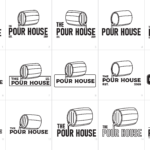
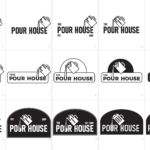
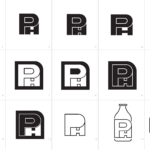
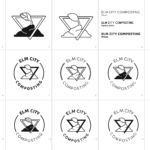
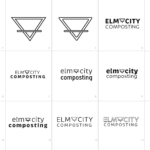
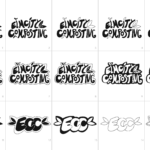
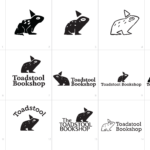
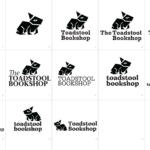
You should have 3 pages (minimum) with 15 iterations of each direction. Explore using your different fonts, different design styles, etc. These are 11″x17″ pages with 15 squares to place your iterations in.
Logo Iteration Template: Logo Iteration Template
B) Refined & Flattened Vector logo
Refine your chosen logo based on feedback from Wednesday’s class.You should have at least 15 iterations of each direction. These are 11″x17″ pages with 15 square to place your iterations in.
The template is the same for the previous assignment:
Logo Iteration Template
- Please upload as a PDF to your Dropbox folder labeled: lastname_identity_vectorized_V2.pdf
- Print in black and white on 11×17 and bring to class for critique.
- In addition, please bring in any sketches/prints from previous rounds to display as well.
Tutorial
C) Pitch Book V1
In Class: Pitch book Project Introduced
The pitch book is a formal document that presents three penultimate directions for an identity system. An identity system is more than a logo and includes colors, other graphic elements, layout potentials and supporting typefaces.
Example of Pitch Book pages 1-8
Pitchbook_01 Elena Babushkina
Pitch Book Template: lastname_pitchbook Folder
Please fill out pages 1-8 for next class
You will fill out 8-16 later. Pages 1-8 are just condensed information of research you’ve already done. Please spellcheck to ENSURE that there are no spelling or grammatical errors. Proofread and use spellcheck. Errors of that nature are not a good look when working with clients.
-
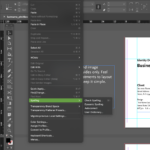
- Edit > Spelling > Check Spelling
-

- Move through the file.
D) In-Class: Demo of Production Logo File Construction
Wednesday, October 22
Assignments Due
Start of Class:
- Refined & Flattened Vector Logo
- Print all pages and bring to class.
- Upload as a PDF to your Dropbox folder labeled:lastname_identity_vectorized_V2.pdf
- Upload source Illustrator File to your Dropbox folder labeled:lastname_identity_vectorized_V2.pdf
End of Class: None
In Class:
- What’s an effective Pitch Book?
- Color Ways
- Pitch Book v1 development
Pitch Book V1
- Create the folder: REDESIGN PITCH BOOK
- Upload as a PDF to your Dropbox folder labeled: lastname_pitchbook_V1.pdf
02
Color Logo Iteration Assigned
Time to bring in some color.
Explore color ways for each logo.
In the template there are 8.5 x 11″ artboards and 11 x 17″ artboards. Adjust the color swatches on the smaller pages, and place your color logos on the larger. (See reference below) You should have this setup for each logo version.
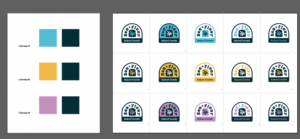
- Use this Template: lastname_color.ai
- Print pages in color and bring to class.
- Please upload as a PDF to your Dropbox folder labeled: lastname_color_v1.pdf
03
Photograph Business Signage
We will be creating mockups of the new logos on existing signage. So if you do not have any imagery of the outside storefront please plan to take a few high res pictures this weekend (or now!). Some of you may already have this collected from your initial research. Take better ones.
Monday, October 27
Assignments Due
Start of Class:
- Color way iterations
- V1 Pitch Book Review (1-on-1)
End of Class: None
In Class:
- Mockup techniques
- Update Pitch Decks for v2
- Lockup Final Vectorized Logo Designed / Color and Black & White
Pitch book Version 2
- Two-Three Lockups : Vertical / Horizontal: Web banner / Other
- Social Media Marks
- Sign Design
- Applications: tag / apparel / mugs / T-shirt / coaster / printed material (menu, flyer, poster)
Example Pitch Book / Keene Serenity Center: ksc_presentation_identity_04_example class
Logo Mockup Tutorials
https://kscgd.com/2025fall/360/assignments/03-identity-redesign/logo-sign-mockups/
Due Wednesday, October 29
Assignments Due
Start of Class: none
End of Class: None
In Class:
- Finish Pitch Deck V2
- File organization
Monday, November 3rd
01
Organize your Files!
- Cleanup all files
- Upload final PDFs of all projects in correct folder
- name them properly
- put them in the correct folder
-
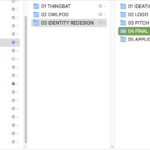
- Example File Structure
02
Discussions / In-class polish
03
Social Media Application Assigned
Two relevant applications, add them to the final pitch deck in an “social applications” section
04
Final Logos and Pitch Book Upload
Please put current logos in the appropriate dropbox folder. Logos must be isolated on properly sized art boards. You can have multiple lockups in one file.
Wednesday, November 5th
Assignments Due
Start of Class:
- Final Identity Redesign Pitchbook Presentations
- Final Pitch Book Uploaded
Folder: Final Redesign FilesFinal Logos in the Above folder
Folder called: Final LogosProcess document
One PDF with all your thumbnails and logo versions in sequential order
- Final Pitch Book Uploaded
End of Class: None
In Class:
- Project 3 Critique – Client Redesign Pitch Presentations
- Project 4 Introductions
- Movie Vote Posts (Due MONDAY!)
- Look through the 10 movies and sampled characters (just to help spur some ideas) listed on the Movies List page.Write a post with your vote for a choice in movie, and 3 preferred characters to have a class vote on what we will decide! Better yet, like anyone else’s post you’d like to do too!
Post Copy Template (Copy & Paste)
- Movie Name
- Favorite line if you have one
- 3 preferred characters (this is NOT calling dibbs!)
- Look through the 10 movies and sampled characters (just to help spur some ideas) listed on the Movies List page.Write a post with your vote for a choice in movie, and 3 preferred characters to have a class vote on what we will decide! Better yet, like anyone else’s post you’d like to do too!
- Movie Vote Posts (Due MONDAY!)