Overview
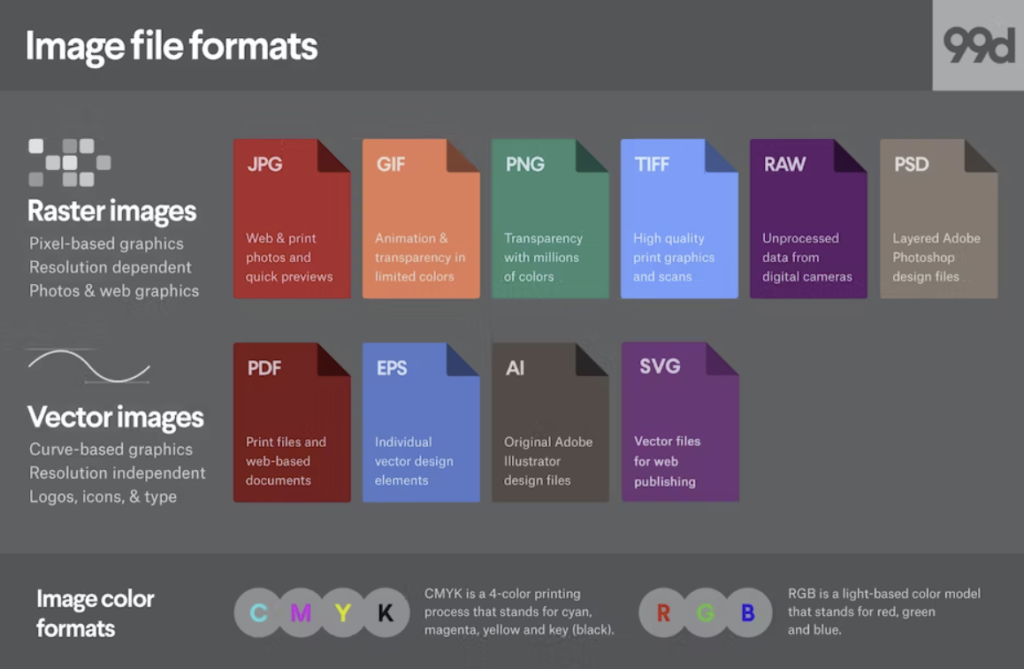
It is essential that we establish a foundation of digital terminology before we begin working with Photoshop. This week we will learn about various file types, color modes, and means of image compression. By the end of this week, you should have:
- A clear understanding of the difference between RGB and CMYK
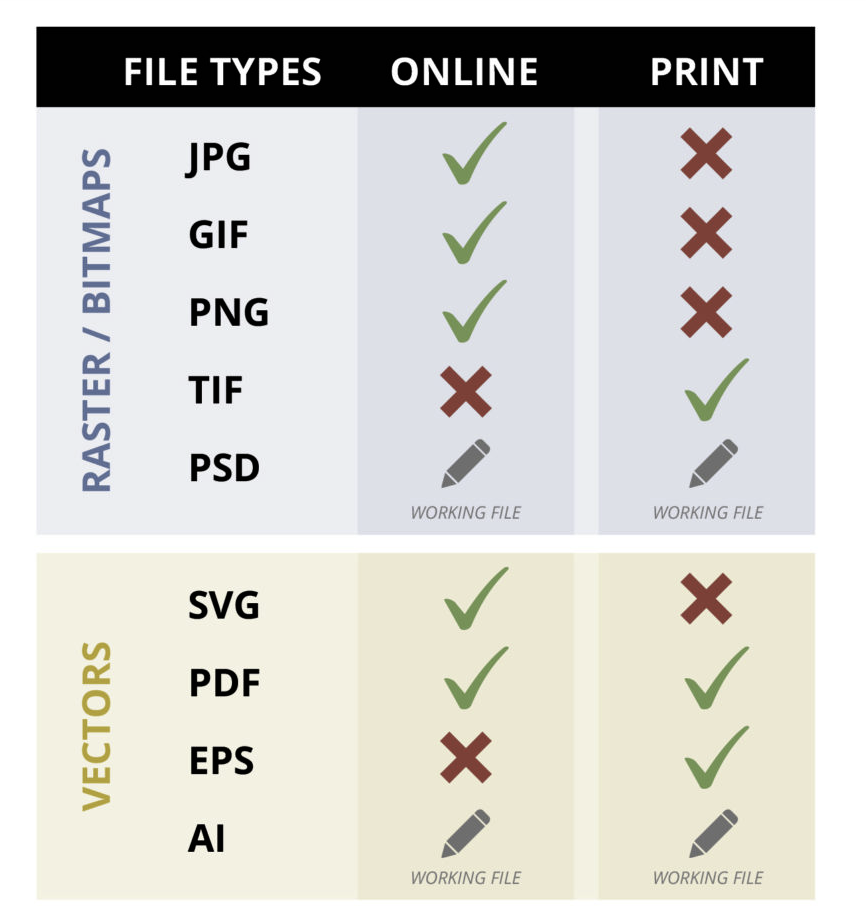
- An understanding of the various file types (PSD, TIFF, JPG)
- A firm grasp on the concept of Lossy and Lossless file types
01
Instructions
- Begin by reading this articleLinks to an external site., it is a fantastic overview of the language of digital imaging.
- The problem with JPGs: this articleLinks to an external site. (and watch the video) for a great illustration as to how compression affects your image.
- Then Read this articleLinks to an external site. about the difference between RGB and CMYK color modes.
- iPhone Users..! Shoot JPGs not HEICs! Watch this…
02
Reflect & Respond
Write a response to these materials. How do you use images? What did you know versus what you learned? If you were an image type what would you be — raster or vector?
This can be written as a first person narrative but proper grammar, spelling, and syntax are the hallmark of professionalism.
Your post is due by Tuesday, February 10
category: 03.1 Image File Formats