01
Figure Photos on White Background
Take a series pictures of the toy figure using the photo table in room 147.
Use your mobile phone camera. Explore different perspectives. Do not edit them. Feel free to change your figure if your first choice isn’t working for you…Experiment with vertical and horizontal formats.
You may choose a different figure if you want now that you know what we are doing with them.
My examples
The color differences are due to the different lights. Don’t worry about that now.
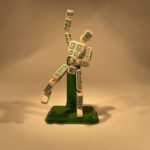
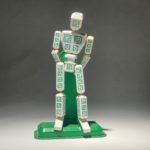



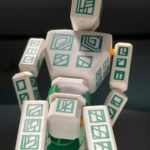
Take the following photographs of your figure in MAC 147:
- Full body, straight on
- Full body back or side
- Close-ish from below (all in view)
- Close-ish from above (all in view)
- Other shots you want
All photographs should keep the figure in focus so don’t get so close you lose it.
02
Cut out the Figures from the Background
- Isolate the figure from the background and save as a PSD file with layers.
- Retain original layer
02
Shoot Twelve Environments
Take pictures of 12 environments in your world. These can scenic vistas, cozy little spaces, or anything in between. Mind that they have great light, contrast, space, and composition. We will be putting figures into these environments. They should be as different as possible. All photos must be shot by you.
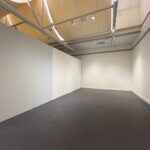

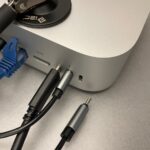
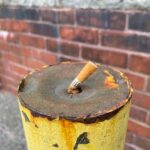


The important thing is that you can position a figure in the scene in a visually compelling way. Think about image elements that your figure could be positioned — behind.
Adjust the contrast and Upload to dropbox.
MAC 147 Shooting Table Lights
The monitor can let you in if the door is closed. Use the snoot (single light) and experiment with other lights as well.
-

- the large light switch
-

- snoot switch
-

- the snoot gets hot!
Due Tuesday, February 10
01
Figure Post
Category: 03.4 Toy Figure
POST NAME: the name of the character
- One Signature Picture (not all): Make a post with a single picture (just one) of the figure,
- Figure Name: give it one
- Who are they?: Describe the figures’ personality, interests and motivations.
Also Upload your pictures to Dropbox in your class folder:
03 PHONE PHOTOGRAPHY / Figure Photos
Example:
02
Upload Your Raw Unedited Environments to DropBox
03 PHONE PHOTOGRAPHY / Environments
03
READ & RESPOND